How to Create AI Dance Videos from Photos: Complete Step-by-Step Guide (2026)
styvid Team
1/9/2026
Introduction
AI dance video generators have revolutionized how content creators, social media managers, and marketing professionals create engaging viral content. Whether you're looking to create trending TikTok dances, K-pop choreography, or Hip-hop performances, learning how to create AI dance videos from photos opens up endless possibilities for social media success.
In this comprehensive guide, we'll walk you through the entire process of transforming static photos into dynamic dance videos using AI technology—no dance skills or video editing experience required.
What Are AI Dance Videos?
AI dance videos are short video clips that use artificial intelligence to animate static photos with realistic dance movements. These tools analyze body positioning, facial features, and spatial relationships to create natural-looking choreography synchronized to music.
Key characteristics:
- Multiple dance styles – TikTok trends, K-pop, Hip-hop, Classical, Modern, Latin
- Music synchronization – Automatic beat detection and move alignment
- Fast generation – Most videos complete in under 2 minutes
- Social media optimized – 10-second videos perfect for TikTok, Instagram Reels, YouTube Shorts
Why Create AI Dance Videos?
Social Media Applications
- TikTok viral content – Create trending dances that boost engagement and followers
- Instagram Reels – Eye-catching dance performances for increased reach
- YouTube Shorts – Quick, entertaining content for monetization
- Marketing campaigns – Branded dance content for promotions and ads
- Personal entertainment – Fun content featuring friends, family, or celebrities
Advantages Over Traditional Dance Videos
- No dance skills required – AI handles all choreography and movement
- Cost-effective – Much cheaper than hiring dancers or professional videographers
- Time-efficient – Generate videos in minutes vs. hours/days of production
- Consistent quality – AI ensures smooth, professional-looking results
- Endless creativity – Anyone can dance, regardless of ability or experience
How to Create AI Dance Videos: Step-by-Step Tutorial
Step 1: Choose the Right AI Dance Video Generator
When learning how to create AI dance videos, selecting the right tool is crucial. Look for generators that offer:
Essential Features:
- ✅ Multiple dance styles (TikTok, K-pop, Hip-hop, etc.)
- ✅ Music synchronization capabilities
- ✅ Fast generation times (under 2 minutes)
- ✅ High-definition output quality
- ✅ Social media optimization (9:16 vertical format)
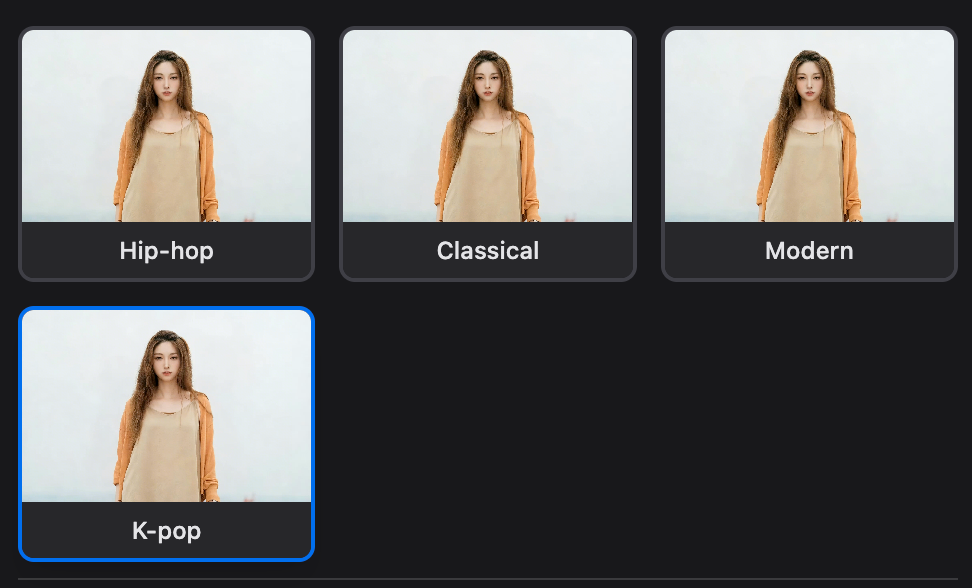
Red Flags to Avoid:
- ❌ Limited dance style options
- ❌ Poor music synchronization
- ❌ Excessive generation times
- ❌ Low video resolution
- ❌ Complicated user interface
We recommend using Styvid's AI Dance Generator for its comprehensive style library and professional-quality output.
Step 2: Prepare Your Source Photos
The quality of your AI dance video depends heavily on your source images.
Photo Requirements:
- Full-body visibility – Subject should be visible from head to toe
- Clear, high resolution – Minimum 720p, ideally 1080p or higher
- Good lighting – Even, natural lighting works best
- Neutral background – Clean, uncluttered backgrounds improve results
- Natural standing pose – Start with a neutral, standing position
Tips for Best Results:
- Use photos with the person facing forward
- Ensure arms and legs are clearly visible
- Avoid extreme angles or profile shots
- Choose images with good contrast and clarity
- Single-person photos work best for most tools
Step 3: Upload Your Photo to the AI Generator
- Navigate to the generator – Go to your chosen AI dance video platform
- Select upload option – Choose your prepared photo file
- Position your subject – Most tools allow you to adjust positioning and scale
- Preview the setup – Ensure the full body is clearly visible and properly aligned
Upload Considerations:
- File format – Most tools accept JPG, PNG, and WEBP formats
- File size – Check platform limitations (typically 5-10MB max)
- Orientation – Vertical photos work best for TikTok and Instagram Reels
- Image quality – Higher resolution produces better animation quality
Step 4: Select Your Dance Style and Music
This is where your creative vision comes to life. Most AI dance generators offer various style options:
Popular Dance Style Categories:
1. TikTok Viral Dances
- Latest trending choreography from TikTok
- Quick, energetic movements
- Perfect for: viral content, trend participation
2. K-pop Choreography
- Precision-synced K-pop routines
- Sharp, coordinated movements
- Perfect for: K-pop fans, Korean culture content
3. Hip-hop & Street Dance
- Groovy, popping, and locking styles
- Urban, energetic movements
- Perfect for: hip-hop fans, street culture content
4. Classical & Ballet
- Elegant, graceful movements
- Refined, artistic choreography
- Perfect for: ballet enthusiasts, artistic content
5. Modern Contemporary
- Expressive, fluid movements
- Artistic and creative styles
- Perfect for: artistic projects, expressive content
6. Latin Dance Styles
- Salsa, Bachata, passionate rhythms
- Energetic, romantic movements
- Perfect for: Latin music fans, cultural content
Music Options:
- Built-in library – Choose from pre-licensed music collections
- Custom upload – Upload your own music track
- Beat detection – AI automatically syncs movements to music rhythm
Step 5: Generate and Preview Your Video
Once you've configured your settings:
- Initiate generation – Click the generate button and wait 1-2 minutes
- Preview the result – Most platforms show a preview before final download
- Make adjustments – If needed, change style, music, or settings and regenerate
- Download final version – Save your HD-quality dance video
What to Expect:
- Smooth body movement and choreography
- Natural facial expressions during dance
- Perfect music synchronization
- Professional-level output quality
Step 6: Export and Share Your Creation
After generating your perfect AI dance video:
Export Options:
- HD Quality – 1080p or higher resolution
- Social media formats – Optimized for TikTok (9:16), Instagram (9:16), YouTube Shorts (9:16)
- Direct sharing – Share directly to social media platforms
- Multiple formats – MP4, MOV, or web-optimized formats
Platform-Specific Tips:
- TikTok – Use trending sounds and hashtags for maximum reach
- Instagram Reels – Optimize for Explore page with relevant keywords
- YouTube Shorts – Create attention-grabbing intros for viewer retention
- Facebook – Share in groups and pages for broader engagement
Advanced Tips for Viral Results
Content Strategy
- Follow trends – Use current dance trends and popular music
- Be consistent – Post regularly to build audience engagement
- Cross-promote – Share across multiple platforms for maximum reach
- Engage audience – Respond to comments and build community
Technical Optimization
- Hook viewers quickly – Start with most impressive moves
- Use trending audio – Leverage popular music for discoverability
- Optimize timing – Post during peak hours for your target audience
- Create series – Build anticipation with sequential content
Creative Enhancement
- Mix dance styles – Combine different styles for unique content
- Add effects – Use filters and transitions for polish
- Caption strategically – Write engaging captions with relevant hashtags
- Collaborate – Feature multiple people for variety
AI Technology Behind Dance Generation
To take your AI dance videos to the next level, understand the technology:
Key AI Technologies:
- Motion Transfer AI – Intelligently transfers dance movements to any person
- Rhythm Detection – Automatically synchronizes moves to music beats
- Pose Estimation – Advanced tracking keeps body positioning natural
- Facial Expression AI – Maintains realistic expressions during animation
Common Problems and Solutions
Issue: "Movements don't look natural"
Solution: Ensure your source photo shows a full-body, neutral pose. Try different dance styles to find the most natural match for your subject.
Issue: "Music synchronization is off"
Solution: Choose music with clear, consistent beats. Some tools allow manual adjustment of sync timing.
Issue: "Video quality is poor"
Solution: Use higher resolution source photos and ensure good lighting in the original image.
Issue: "Generation takes too long"
Solution: Reduce video length or try during off-peak hours. Consider upgrading to premium for faster processing.
Issue: "Facial expressions look weird"
Solution: Use photos with natural, neutral expressions. Avoid extreme expressions or angles.
Best Practices for Ethical AI Dance Video Creation
Respect and Consent
- Only use images of people who have given permission
- Respect copyright and character ownership
- Clearly label content as AI-generated when appropriate
- Avoid creating misleading or deceptive content
Content Guidelines
- Focus on entertaining, appropriate content
- Respect platform community guidelines
- Consider cultural sensitivity in dance choices
- Provide proper credit for music and original choreography
Tools and Resources
Recommended AI Dance Video Generators
For Social Media Creators:
- Styvid AI Dance Generator – Comprehensive style library with music sync
For K-pop Fans:
- Tools specializing in K-pop choreography
- Korean music integration
For Professional Use:
- Commercial licensing options
- Batch processing capabilities
- Advanced customization features
Supporting Tools
- Photo editors (Photoshop, GIMP) for pre-processing images
- Video editors (CapCut, InShot) for post-production enhancements
- Music libraries (Epidemic Sound, Artlist) for licensed audio
Troubleshooting Guide
Generation Fails
- Check file size and format requirements
- Ensure proper image dimensions
- Verify internet connection stability
- Try reducing image resolution if needed
Poor Quality Results
- Upgrade source image quality
- Ensure full-body visibility in original photo
- Experiment with different dance styles
- Adjust positioning during upload
Platform-Specific Issues
- Clear browser cache and cookies
- Try different browsers (Chrome, Firefox, Safari)
- Check for platform updates or maintenance notices
- Contact customer support for persistent issues
Maximizing Social Media Success
TikTok Strategy
- Use trending sounds – Leverage popular music for discoverability
- Post consistently – Maintain regular posting schedule
- Engage with trends – Participate in dance challenges
- Optimize hashtags – Use relevant, trending tags
Instagram Reels Strategy
- Create series – Build content themes for audience retention
- Use Instagram music – Leverage platform's audio library
- Optimize for Explore – Create attention-grabbing intros
- Cross-promote – Share to Stories and Feed
YouTube Shorts Strategy
- Quick hooks – Start with most impressive moves
- Compelling titles – Use click-worthy, descriptive titles
- Consistent branding – Maintain visual identity across videos
- Playlist strategy – Group related content for binge-watching
Future of AI Dance Video Technology
The technology behind AI dance videos continues to evolve rapidly:
Emerging Trends:
- Real-time generation – Instant processing and live preview
- Advanced customization – More control over specific moves and timing
- Multi-person support – Group dance scenes with multiple subjects
- Voice integration – Character responses and interactions
- AR compatibility – Augmented reality dance experiences
What to Expect in 2026:
- Enhanced motion accuracy and fluidity
- Better handling of complex choreography
- Improved music synchronization precision
- More sophisticated dance style options
- Integration with social media platforms
Conclusion
Learning how to create AI dance videos from photos is a valuable skill for content creators, social media managers, and digital marketers. With the right tools and techniques, you can create professional-looking dance content that engages audiences and drives social media success.
Key Takeaways:
- Start with high-quality, full-body source photos
- Choose an AI generator with comprehensive dance style options
- Experiment with different styles and music combinations
- Follow platform-specific best practices for maximum engagement
- Stay consistent with content creation for audience growth
Whether you're creating content for TikTok, Instagram, YouTube, or marketing campaigns, AI dance video generators provide an accessible entry point into professional-quality social media content creation.
Ready to create your first AI dance video? Try our AI Dance Video Generator and start creating viral dance content in minutes.
Frequently Asked Questions
How long does it take to create an AI dance video?
Most AI dance videos are generated in 1-2 minutes, depending on complexity and video length.
Do I need dance experience?
No. AI dance video generators are designed for users without any dance skills or experience.
What dance styles are available?
Most tools offer TikTok, K-pop, Hip-hop, Classical, Modern, and Latin dance styles.
Can I use my own music?
Yes, most platforms allow you to upload your own music or choose from a built-in library.
What type of photos work best?
Full-body, high-resolution photos with good lighting and neutral backgrounds produce the best results.
Are AI dance videos suitable for commercial use?
Check the terms of service for your chosen platform, but many allow commercial use with proper licensing.
How can I make my AI dance videos go viral?
Use trending music, follow current dance trends, post consistently, and engage with your audience.
Which social media platforms work best?
AI dance videos are optimized for TikTok, Instagram Reels, YouTube Shorts, and Facebook.
Stay updated with the latest AI video creation tips and social media strategies by following our blog. Happy creating!