Cinematic Video Restyle
Upload a short video and apply a fixed cinematic treatment to its lighting, color, contrast, texture, depth, and atmosphere.
Upload video
Drop a 2 to 10 second MP4 or MOV video here, or click to upload.
Your example stays visible while you set up.
See a cinematic restyle before you generate
Your result will replace this example.
Example video
Upload to replace
Example video
Cinematic result
A Filmic Treatment for a Shot You Already Have
Cinematic Video Restyle is a focused video-to-video Effect. It begins with real footage rather than a blank prompt, so the source supplies the performance and camera path while the fixed Effect supplies a deliberate cinematic direction.
1. Upload one continuous source clip
Choose an MP4 or MOV up to 100 MB with the subject, action, and composition you want to preserve. Wan 2.7 Video Edit accepts source clips from 2 to 10 seconds for this Effect.
2. Apply the fixed cinematic direction
The server-side prompt targets stronger lighting direction, filmic color, controlled contrast, material detail, atmosphere, and depth while asking the model to retain the original identity, motion, timing, scene layout, and camera path.
3. Choose output settings and generate
Select 720p or 1080p, match the source framing or choose a supported aspect ratio, decide how audio should be handled, and optionally reuse a seed. Review identity, clothing, products, logos, and every important frame before publishing.
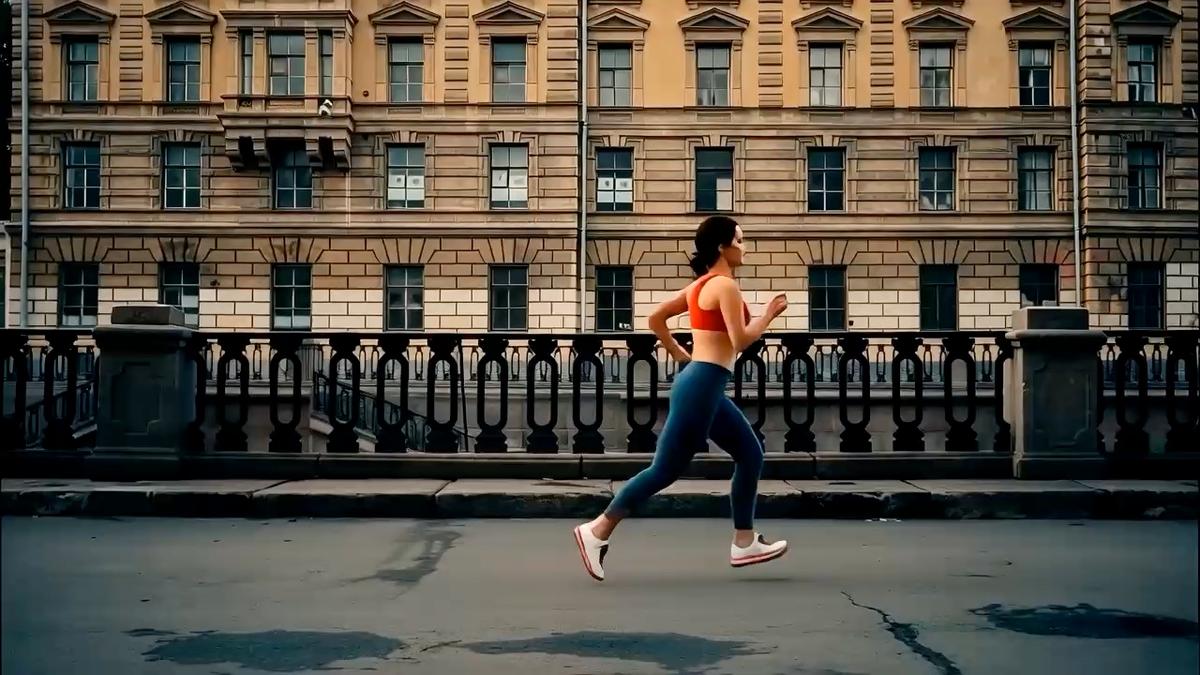
Footage That Responds Well to an AI Cinematic Restyle
The source remains the structural reference for the generated clip. Clear composition, readable motion, and consistent exposure make it easier to change the finish without losing the point of the shot.
Use one readable shot
A continuous camera move or performance gives the model a clearer scene to follow than a montage with several cuts. Process separate shots individually when continuity matters.
Protect identity-critical details
Keep faces, products, clothing, packaging, and signs visible and large enough to inspect. Generative restyling can reinterpret small details even when the fixed prompt asks for preservation.
Upload the cleanest source available
Heavy compression, clipped highlights, crushed shadows, and severe motion blur limit the visual information available for relighting and material treatment. An earlier export or camera original is a stronger starting point.
Start with action and framing that already work
The Effect is designed to restyle an existing shot rather than invent a new performance. Use footage whose timing, camera movement, and composition already communicate the idea you want to keep.
Generative Restyling Goes Beyond a Cinematic Video Filter
A LUT or conventional color grade remaps color and tone on the original frames. An AI video restyle can generate new lighting, texture, material cues, and atmosphere, which creates more range but also requires closer review.
Use a color grade for deterministic finishing
Traditional grading is the better choice when every pixel, logo, face, and product detail must remain unchanged. It is repeatable and gives an editor precise control over exposure, color, and contrast.
Use AI restyling for look development
Generative editing is useful when you want to explore a stronger change in light, weather, atmosphere, texture, or scene mood without organizing an immediate reshoot or VFX pass.
The uploaded timing still guides the result
Unlike text-to-video generation, this workflow does not start by inventing a new performance. The source clip supplies the pacing, action order, camera movement, and broad composition for the restyle.
Approval still belongs in the workflow
Treat the first output as a generated creative pass. Compare it with the source, check continuity at full length, and regenerate or move to conventional post-production when exact brand or identity preservation is required.
Cinematic Look Development for Creators and Production Teams
The Effect fits the stage where the shot works but the art direction needs another option. It can produce a shareable result or help a team decide which treatment deserves a more controlled production pass.
Creator videos and social campaigns
Give a strong on-camera performance a more deliberate mood while keeping its pace and gesture. Short, continuous clips make it easier to compare alternate generations before choosing one for a post.
Product and brand concept tests
Explore a different lighting and atmosphere around an existing product shot. Because generation can alter packaging and design details, use the result for ideation unless the complete output passes a careful brand review.
Travel, fashion, and music visuals
Restyle a location, outfit, rehearsal, or movement study while retaining the captured camera path. The Effect can request the original audio when the provider can preserve it.
Previsualization and creative direction
Test a mood before committing to a reshoot, professional grade, VFX treatment, or campaign rollout. Moving references make discussions about contrast, depth, light direction, and continuity more concrete than a single mood-board image.
Cinematic Video Restyle FAQ
Practical answers about cinematic AI restyling, source preservation, output controls, audio, credits, and generated results.
Explore more AI video effects
Try another focused AI video effect, or browse the complete effects collection.
Restyle the Shot You Already Captured
Upload a short source clip, keep the action and framing that already work, and apply a focused cinematic treatment with practical output controls.