
HappyHorse 1.0 - Flexible Text and Image Video Generation

HappyHorse 1.0 is a general-purpose AI video model available in Styvid for creators who want flexible text-to-video and image-to-video generation, multiple aspect ratios, and longer draft clips for creative testing.

What HappyHorse 1.0 Is Best For

A flexible model for first-pass creative video generation

Text and Image Inputs

Use it for open-ended text prompts or upload a starting image when you want the output grounded in an existing visual.

Longer Draft Range

The current Styvid setup exposes 3, 5, 8, 10, and 15 second options, which makes it useful for draft exploration.

Multiple Aspect Ratios

Create square, landscape, portrait, and social-first videos without changing your core prompt.

720p and 1080p Options

Choose a faster 720p preview or a higher-resolution 1080p output when the result is ready for presentation.

General Creative Coverage

Useful for lifestyle clips, concept art motion, product shots, environment scenes, and visual drafts.

Good Prompt Testing Model

Use HappyHorse 1.0 to test prompt direction before moving to a more specialized or higher-credit model.

Official HappyHorse 1.0 Showcase

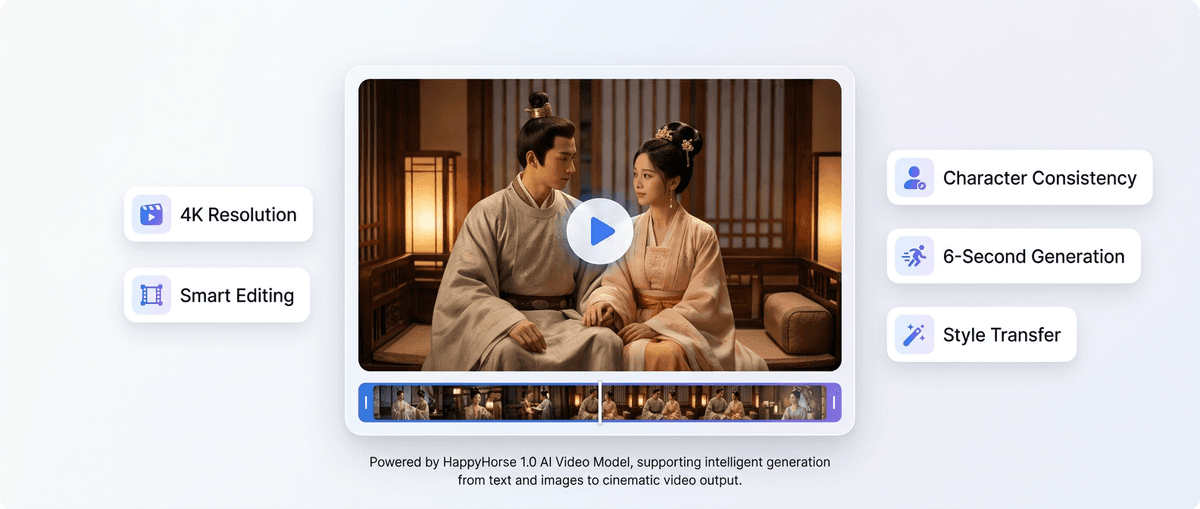
Alibaba Cloud presents HappyHorse-1.0 as a cinematic AI video model series for ads, e-commerce, animated shorts, and social media content. This section mirrors the provider's own showcase imagery alongside the official demo video above.
Official HappyHorse 1.0 Showcase

How To Use HappyHorse 1.0

Start simple, then add control only where it matters

1. Pick Text or Image Input

Use text when you want the model to create the scene. Use image input when you already have a subject or style to preserve.

2. Choose Format

Select the aspect ratio, duration, and resolution that match your target platform.

3. Refine the Prompt

Add subject, action, camera movement, lighting, and negative constraints to improve the next generation.

HappyHorse 1.0 Capabilities

Where this model fits inside Styvid

Text to Video

Use text prompts for quick storyboards, scene concepts, social clips, and visual exploration.

Image to Video

Use image input when a product, person, composition, or artwork should guide the generated motion.

HappyHorse 1.0 Use Cases

Where this model is a practical first choice

Prompt Exploration

Try several visual directions quickly before using a higher-cost model for final output.

Social Drafts

Create short vertical or square videos for hooks, mood tests, and content planning.

Product Motion Tests

Animate a product image to test camera movement, lighting, and simple reveal ideas.

Creative Moodboards

Turn rough concepts into moving visuals for pitches, moodboards, or early campaign planning.

How To Decide If HappyHorse 1.0 Fits Your Task

HappyHorse 1.0 is best explained as a flexible model for early exploration rather than a specialized flagship model.

Use it for broad creative testing

When the user has not chosen a final visual direction yet, HappyHorse can test subjects, camera movement, duration, and aspect ratio without forcing a highly specialized workflow.

Use it for longer drafts

The 15-second option is useful for testing a longer social clip, storyboard beat, or product reveal before committing to a more expensive generation.

Use it for both prompt and image starts

Text input works for open-ended ideas, while image input is better when the user already has a product, portrait, scene, or artwork that should guide the output.

Avoid it for strict brand preservation

If exact logo shape, packaging detail, or character identity must be preserved, the user should choose a more specialized model and write stricter preservation prompts.

HappyHorse 1.0 Official Demo Video

This official Alibaba Cloud video asset shows how HappyHorse is positioned for cinematic, commercial, and social-first AI video generation.

PromptOutput

Official HappyHorse 1.0 demo video from Alibaba Cloud: cinematic creative generation for ads, e-commerce, animated shorts, and social media content with dynamic lighting and polished camera motion.

HappyHorse 1.0 Workflow Examples

These examples are based on Alibaba Cloud's HappyHorse campaign positioning, the official Alibaba Cloud video asset, and Styvid model settings.

Longer creative draft clip

A 15-second atmospheric scene with one subject, clear movement, and simple camera direction.

HappyHorse 1.0 is useful when users want duration flexibility for early drafts. Alibaba Cloud positions the series around cinematic creative generation, ads, e-commerce, animated shorts, and social media content.

Image-to-video product test

Upload a product still and describe a short camera push, controlled light movement, and stable product shape.

This case helps users decide when to use HappyHorse for image-to-video: quick product motion tests and internal previews. Alibaba Cloud lists HappyHorse-1.0-I2V as one of the campaign's model paths.

Prompt exploration before premium generation

Test three variants of the same idea with different camera actions, lighting, and aspect ratios.

HappyHorse is best explained as a model for finding the creative direction before moving to a more specialized model. The Alibaba Cloud page emphasizes text-to-video, image-to-video, reference-based generation, and editing in one workflow.

FAQs

HappyHorse 1.0 is an AI video generation model available in Styvid for creating videos from text prompts or image inputs.

Yes. You can write a prompt that describes the subject, action, camera movement, and style.

Yes. You can upload an image and use a prompt to describe the motion or scene change you want.

The current Styvid configuration includes 3, 5, 8, 10, and 15 second duration options.

Styvid exposes 720p and 1080p options for HappyHorse 1.0.

Choose HappyHorse 1.0 when you want a flexible model for prompt testing, early creative drafts, or longer short clips.

Use images with a clear subject, readable composition, and enough visual space for movement. Avoid cluttered images when subject preservation matters.

Commercial use depends on the applicable model provider and platform terms. Review the official model source before using outputs in production.

HappyHorse 1.0 has less public official material than models like Veo, Kling, or Seedance. It can still have a useful detail page for users inside the generator, but it should be indexed cautiously until more official sources are available.

Use it when you want a flexible text or image model for early draft clips, aspect-ratio testing, and rough creative direction before choosing a more specialized model.

Because users see HappyHorse in the model selector and need a quick way to understand what it is for. The detail page explains that it is a flexible draft model, even if the public official material is thinner than larger model launches.

Yes. The current Styvid configuration supports both input modes, so the model detail page should link users back to both generator entry points with the correct modelId.

HappyHorse 1.0 is best treated as an exploration model inside Styvid. It gives users a practical way to test text prompts, source images, aspect ratios, and longer draft timing before they spend credits on a more specialized final-generation model.

Try HappyHorse 1.0 on Styvid

Use HappyHorse 1.0 when you want flexible text or image video generation for creative drafts.