AI Portrait Animation from One Photo
Styvid turns one portrait photo into a short AI video.
Drag & Drop your images
Upload one clear headshot or upper-body portrait with a visible face and even lighting.
Your example stays visible while you set up.
See the motion before you generate
Your result will replace this example.
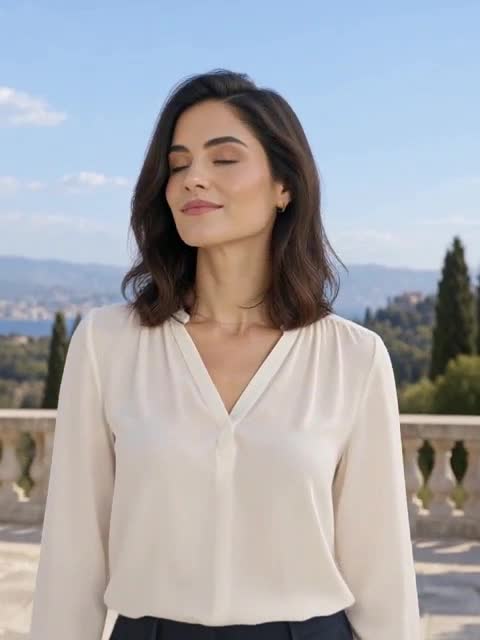
Example image
Upload to replace
Example video
Cinematic editorial
AI Portrait Animation from One Photo
Styvid turns one portrait photo into a short AI video. Choose Natural for blinking, breathing and small head movements, or Cinematic editorial for a camera push-in and portrait lighting. Use it for creator profiles, speaker cards and visual intros. Facial likeness can change.
Cinematic editorial portrait: a generated example. This 5-second, 480p example was generated with MiniMax H3 Max Turbo from a fictional adult portrait. It shows head movement and a camera push-in. The push-in is stronger than requested and the face shifts in close-up; use it to judge the style, not as a guarantee of likeness.
How to animate a portrait photo
Start with one clear headshot or upper-body portrait, then choose how much camera movement you want.
Upload one clear portrait
Keep the eyes and face visible, use even lighting and a simple background. Avoid group photos, heavy blur and objects covering the face.
Choose Natural or Cinematic editorial
Natural is the default for gentle blinking, breathing and head motion. Cinematic editorial adds a camera push-in and changes to light and color.
Generate and review the complete clip
Choose 5 or 10 seconds, check the credit quote, then generate. Review the eyes, face outline, clothing and background before downloading the video.
Portrait animation questions
Choose a style, prepare a photo and understand the output before generating.
Explore more AI video effects
Try another focused AI video effect, or browse the complete effects collection.
Animate your portrait
Upload one clear headshot or upper-body portrait with a visible face and even lighting.