Best Product Images for Product Motion
styvid Team
4/20/2026
Introduction
Product motion works best when the source image already looks like a strong merchandising asset.
That means the AI is not being asked to rescue a weak product visual. It is being asked to add motion polish to an image that already feels usable.
If you want better results from a product motion workflow, the fastest win is often to improve the image you upload.
Think Like a Merchandising Team, Not a Moodboard
The easiest way to choose a source image is to ask one question:
Would this still already work in a product page, launch teaser, or paid-social module?
If the answer is yes, the image is usually a much better candidate for product motion.
What Makes a Product Image Good for Motion
A good source image usually does three things well:
- it makes the product easy to read
- it keeps the product visually dominant
- it already feels intentional
The cleaner the source signal, the easier it is for the model to produce a useful motion clip.
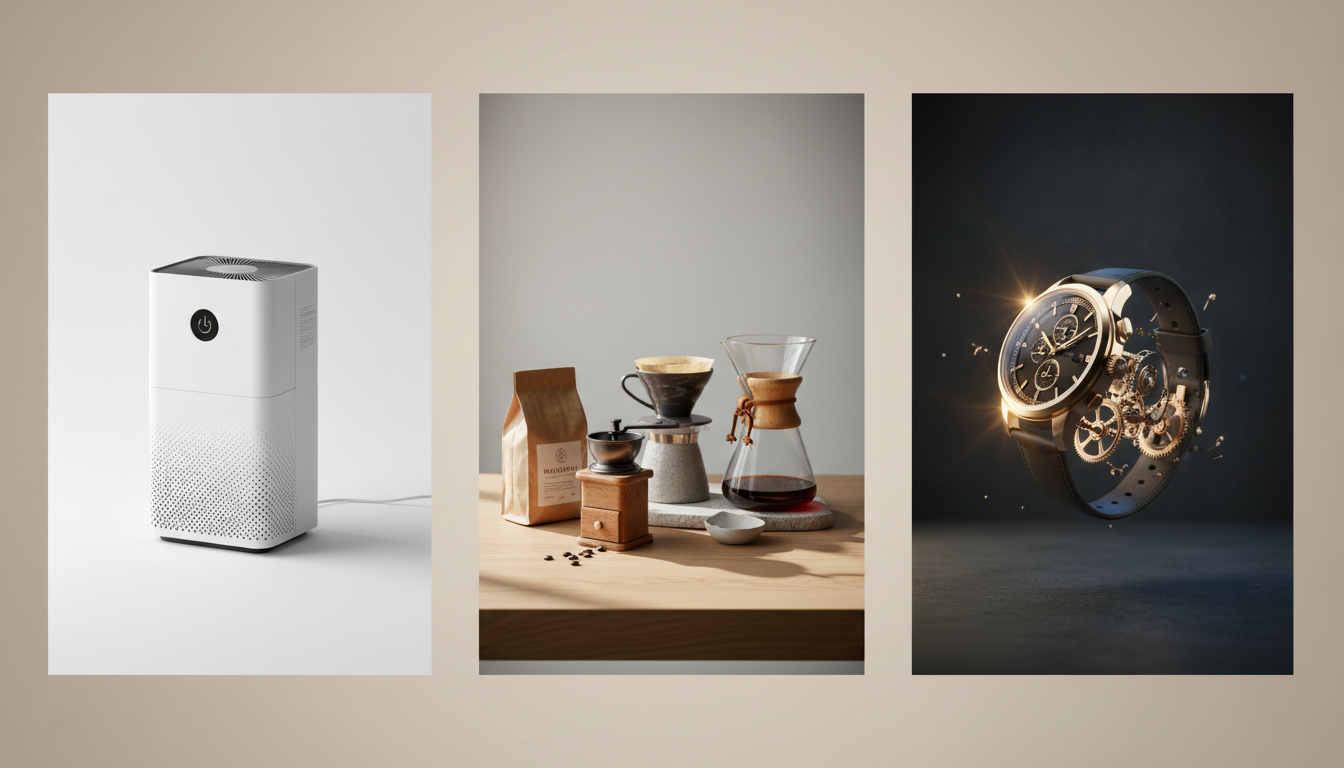
Packshot vs Tabletop vs Hero Image
Packshots
Packshots are often the safest option.
They work well when:
- the silhouette is strong
- the background is controlled
- product edges are clear
- branding or packaging is visible
Tabletop images
Tabletop photos work well when they already feel like commercial photography rather than casual snapshots.
They often give the model enough depth and context without overwhelming the frame.
Hero images
Hero images are especially strong when they already feel ready for a PDP, collection header, or campaign module.
These are often the best inputs for premium-looking motion clips.
Why Framing Matters
Product motion is still a product-first workflow. If the composition is weak, the clip usually feels weak too.
The product should be:
- clearly visible
- large enough in frame
- easy to identify immediately
If the product occupies only a small part of the image, the model may emphasize the wrong elements.
Why Background Simplicity Helps
A busy background creates ambiguity.
When the scene is overloaded, the model may start rebuilding the environment instead of keeping the output focused on the item being sold.
Simpler backgrounds help because they keep visual priority where it belongs: on the product.
Details That Help the Model
The best product motion results usually come from images with visible:
- material texture
- packaging detail
- shape definition
- edges and contour
- important design elements
These cues help the final clip feel like product marketing rather than a generic spinning object.
When Lifestyle Images Still Work
Lifestyle images are not automatically bad.
They can work well when:
- the product is still dominant
- the environment is controlled
- the image already looks like campaign material
They work less well when the scene becomes the main character instead of the product.
Common Weak Inputs
The product is too small
If the product is tiny in frame, the model has less to preserve.
The lighting is weak
Poor lighting reduces clarity, edge definition, and perceived premium quality.
The frame is cluttered
Too many props or visual distractions can dilute the product-first promise of the output.
The image does not already look sellable
If the still image would not work on a PDP or ad, product motion usually will not magically fix it.
A Quick Product Motion Checklist
Before uploading, ask:
- Is the product clearly dominant?
- Is the framing clean and intentional?
- Can I see materials and important details?
- Is the background simple enough?
- Does this already look like a sellable product visual?
If the answer is yes across the board, the odds of a strong result go up fast.
A Fast Before-You-Upload Test
Before you upload the image, ask:
- Would I use this still as-is in a product page hero slot?
- Would this image survive a light camera move without losing clarity?
- Does the product still feel dominant if the frame starts moving?
If not, improve the still first. Product motion usually amplifies a strong asset more than it fixes a weak one.
Conclusion
The best product images for product motion are usually not the most dramatic ones. They are the clearest, most readable, and most commercially useful ones.
Start with a strong packshot, tabletop image, or hero frame, then use motion to make it feel more premium and more active.
If that is your workflow, the Styvid AI Product Video Generator is designed for exactly that kind of input.